While You Sleep, Your Phone Doesn't: The Background Drain Nobody Talks About
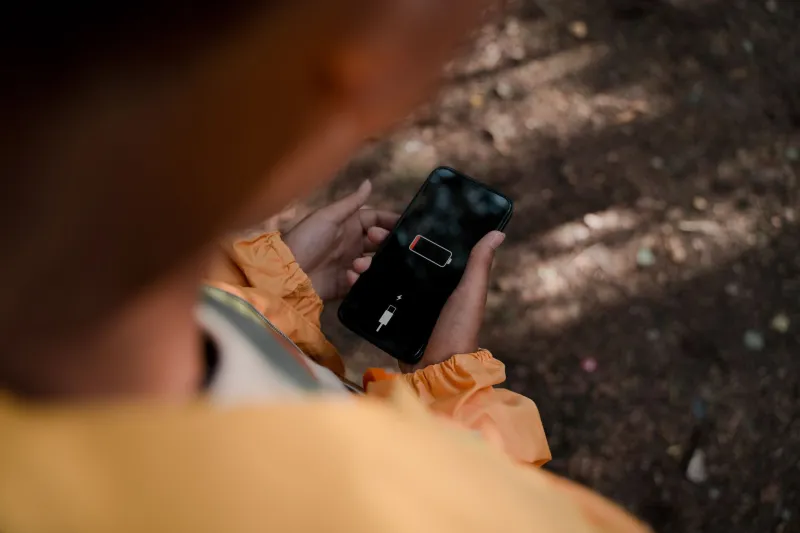
You plug in your phone at night, watch it hit a full charge, and figure you're good until morning. Then you wake up, grab it off the nightstand, and — wait. Sixty-seven percent? You didn't touch the thing for eight hours. So what exactly happened?
The answer isn't a faulty battery or a bad cable. It's something far more deliberate: background sync. And it's not just your phone. Your laptop, your tablet, and even your smart TV are running quiet processes around the clock that consume power, burn through data, and — in many cases — send your information somewhere you never explicitly approved.
What Background Sync Actually Is (And Why It's Everywhere)
Background sync is the mechanism that lets apps update their content without you actively opening them. Your email refreshes before you tap it. Your social feeds load instantly because they pre-fetched while you were asleep. Weather widgets show current conditions because they've been pinging servers every 15 minutes since 3 a.m.
In theory, this is a convenience feature. In practice, it's a sprawling, poorly regulated system that most users have zero visibility into. On Android, background processes are governed by something called WorkManager and legacy JobScheduler APIs. On iOS, Apple's Background App Refresh gives apps a window to do their thing while you're not looking. Both systems are designed to be efficient — but "efficient" is doing a lot of heavy lifting when you've got 60 apps installed and half of them think their data is mission-critical.
The worst offenders tend to fall into predictable categories: social media apps (Facebook and Instagram are notorious for background activity even when you haven't opened them in days), email clients syncing on aggressive schedules, cloud backup services running full device scans at odd hours, and fitness apps phoning home with your location and health data far more often than necessary.
The Data You Don't Know You're Spending
Battery drain is the visible symptom. But background sync is also eating your data plan in ways that are genuinely hard to track. A 2023 analysis by network researchers at Northeastern University found that certain pre-installed apps on Android devices were transmitting data in the background dozens of times per hour — even when the user hadn't interacted with the app in weeks.
Some of that data is benign: analytics pings, ad ID refreshes, content pre-loading. But a meaningful portion involves location data, device identifiers, and behavioral signals that feed advertising ecosystems. Your phone is, in a very real sense, doing a second job while you sleep — and you're not getting paid for it.
On the laptop side, Windows is arguably the bigger offender. Windows Update, Cortana (if you haven't killed it), Microsoft Defender, OneDrive sync, and telemetry services all operate on background schedules. macOS is cleaner but not innocent — Spotlight indexing, iCloud sync, and Time Machine backups can all spike CPU and disk usage at inopportune times.
Why Manufacturers Won't Just Let You Turn It Off
Here's where things get uncomfortable. The ability to fully disable background activity exists in most operating systems — but it's buried, fragmented, and sometimes deliberately incomplete. Android lets you restrict background data per app, but certain system apps and Google services are exempt from these restrictions. iOS's Background App Refresh toggle is real, but it doesn't stop all background activity; push notifications, location updates, and some health data processes run independently.
The reason manufacturers resist giving users a clean kill switch is partly technical (some background processes are genuinely necessary for the OS to function) and partly economic. Background data collection is infrastructure for the advertising and analytics businesses that generate revenue for both platform owners and app developers. Letting users go fully dark would break a significant part of that ecosystem.
There's also the "seamlessness" argument. Apple and Google both market their platforms on how smooth and instant the experience feels. That instant-load magic is powered by background pre-fetching. Turn it all off and your apps feel sluggish. It's a trade-off the companies have already made on your behalf.
What You Can Actually Do About It
The good news: you have more control than the default settings suggest. Here's where to start.
On iPhone: Go to Settings → General → Background App Refresh and turn it off globally, or selectively disable it for apps that don't need it (hint: games, shopping apps, and social media almost never need it). Then check Settings → Privacy & Security → Location Services and audit which apps have "Always" access — that's a major background drain.
On Android: Navigate to Settings → Battery → Battery Usage to see which apps are consuming power in the background. Use the "Restrict" option for repeat offenders. Also check Settings → Apps → [App Name] → Mobile Data and toggle off "Background data" for anything that doesn't need to sync constantly.
On Windows: Open Task Scheduler and take a look at what's queued to run automatically. Disable telemetry through Group Policy or a tool like O&O ShutUp10++. Set your Wi-Fi connection as "metered" to discourage automatic background downloads.
On macOS: System Settings → General → Login Items shows what's auto-launching. Energy Saver settings can limit background activity during specific hours. And if you're not using iCloud for everything, pare back which folders it's watching.
For power users, apps like GlassWire on Windows give you a real-time view of what's phoning home and when. On Android, NetGuard offers a no-root firewall that can block background internet access per app.
The Bigger Picture
Background sync isn't going away. As apps become more data-hungry and platforms more interconnected, the pressure to keep everything constantly updated will only grow. But there's a difference between background activity that serves you — keeping your messages current, syncing your photos — and background activity that serves the app's business model at your expense.
Knowing the difference, and having the tools to act on it, is exactly the kind of edge that separates informed users from everyone else. Your phone works for you. It's time to remind it of that.